Subtitle Proofreading & Translation
Continue from existing subtitles for proofreading, translation, review, and export instead of rebuilding them from scratch.
Most subtitle work starts from something that already exists
DreamCreator treats subtitle proofreading and translation as work that usually continues from an existing subtitle source rather than starting from a blank file.
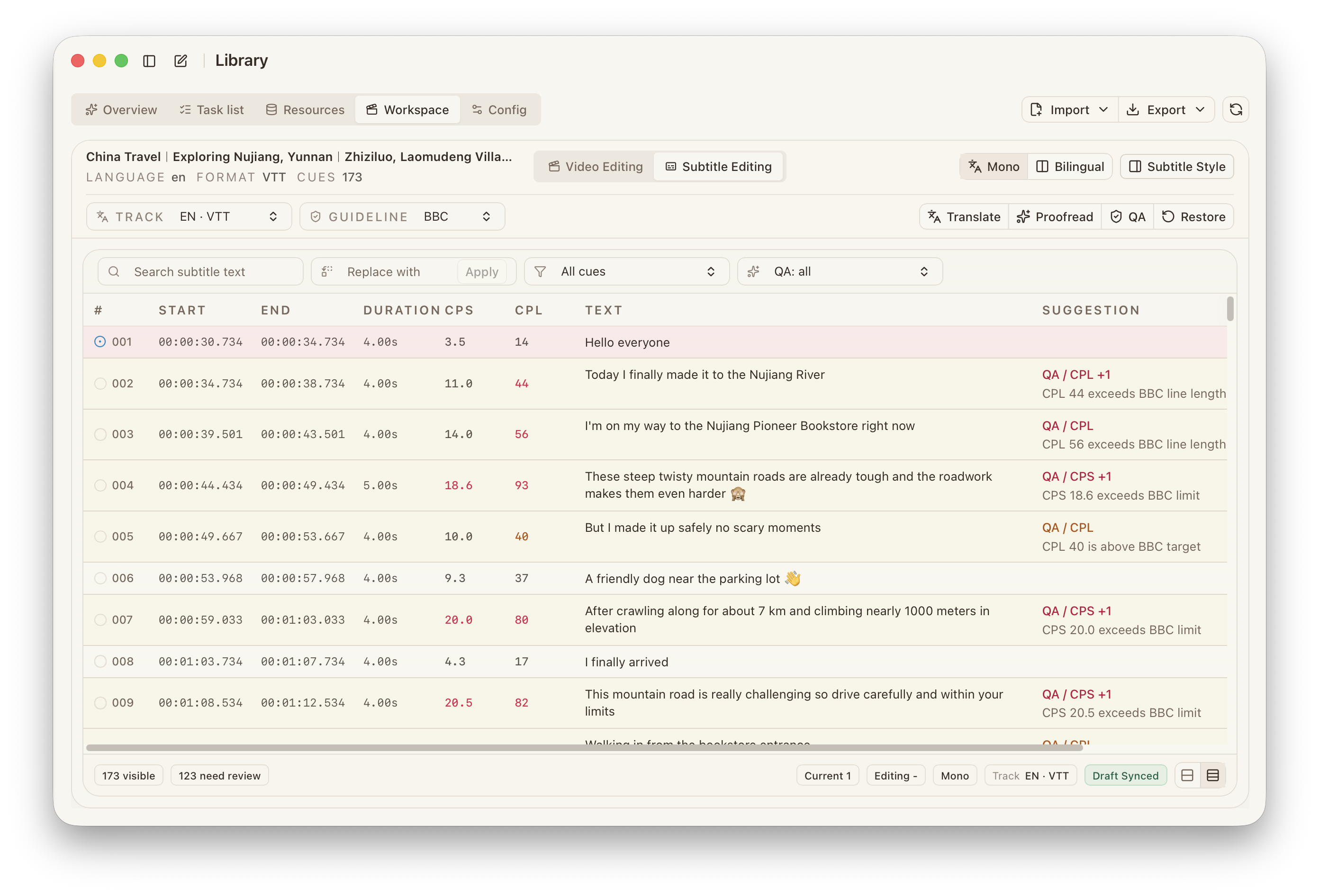
That source is typically:
- a subtitle track that came with a download
- a subtitle file imported from outside
- a project already stored in the workspace
Recommended flow
- Bring the subtitle into the workspace and confirm it matches the right source video.
- Run QA first and inspect timing, layout, and readability issues.
- Select the right glossary, prompt profile, or target-language setup for the project.
- Run translation, proofreading, or review work.
- Return to preview and timing for manual inspection.
- Export only after the result is ready for delivery.
What to focus on during QA
The most important checks are usually:
timingcpscpllayouttext
If this step is skipped, even a strong translation result can still fail at delivery time.
Why this fits publishing work better than a detached subtitle editor
The subtitle no longer lives as an isolated file. You keep access to:
- the source video and preview
- the task result that produced the subtitle
- the terminology and tone constraints for the project
- the next transcoding, burn-in, and export step
That makes multilingual publishing and content reuse much steadier.